

The Apple iPhone Guide you are about to read is designed for everyone—from first-time iPhone users to long-time Apple enthusiasts. The iPhone is no longer just a communication device; it is a powerful tool for productivity, creativity, security, and everyday convenience. With the arrival of iOS 17, Apple has elevated the iPhone experience to a whole new level, introducing smarter features, deeper personalization, and improved performance.
In this complete guide, you will explore iPhone features in detail, uncover useful tips and hidden tricks, and understand the most important updates that matter in real life. Whether you use your iPhone for work, entertainment, photography, or daily communication, this guide will help you unlock its full potential.
Why the Apple iphone Remains a Global Smartphone Leader
Apple has consistently focused on user experience rather than just technical specifications. This approach has made the iPhone one of the most trusted and popular smartphones worldwide.
Key Reasons Behind Apple iphone’s Success
- Seamless integration of hardware and software
- Long-term iOS updates for older devices
- Strong privacy and security features
- Clean, intuitive user interface
- Powerful Apple ecosystem
Getting Started with Apple iPhone: Basics for Everyone
If you are new to the iPhone, Apple’s intuitive design makes learning easy. Even experienced users can benefit from revisiting the fundamentals.
Understanding the Home Screen
The Home Screen is where all your apps live. You can:
- Swipe left or right to move between pages
- Use folders to organize apps
- Long-press apps to rearrange or delete them
- Swipe down to access Spotlight Search
Spotlight Search helps you quickly find apps, messages, contacts, photos, and even online information.
Dock and App Library
The Dock keeps your most-used apps always accessible, while the App Library automatically organizes all apps into smart categories.
Control Center: Quick Access Made Simple
Control Center provides instant access to essential features. Swipe down from the top-right corner to open it.
What You Can Control
- Wi-Fi, Bluetooth, Airplane Mode
- Brightness and volume
- Screen recording
- Flashlight and camera
- Low Power Mode
You can customize Control Center via Settings → Control Center to match your daily needs.
Common Myths About Apple iPhone
- iPhones are not customizable ❌
- iPhones are only expensive ❌
- iPhones have weak batteries ❌
This Apple iPhone Guide proves these myths wrong.
🔍 Find My iPhone: Never Lose Your Device Again
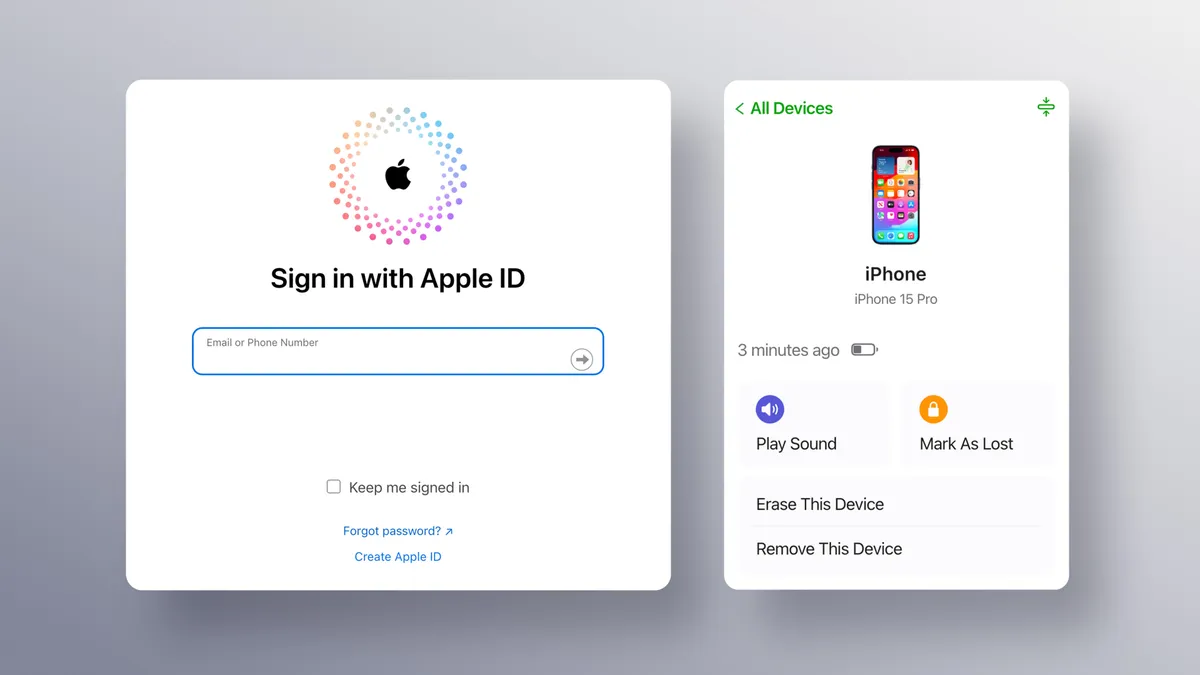
One of the most powerful security features discussed in this Apple iPhone Guide is Find My iPhone. This feature is designed to help users locate, lock, or erase their iPhone if it is lost or stolen. With iOS 17, Find My iPhone has become faster, more accurate, and more reliable than ever.
How Find My iPhone Works
Find My iPhone uses GPS, Bluetooth, and Apple’s vast Find My network to pinpoint your device’s location—even when it’s offline. If your iPhone is lost, you can:
- See its live location on a map
- Play a sound to locate it nearby
- Enable Lost Mode to lock the device
- Erase all data remotely for security
🛍️ Apple Shop Near Me: Buying Apple iPhones Safely

Apple iphone Id
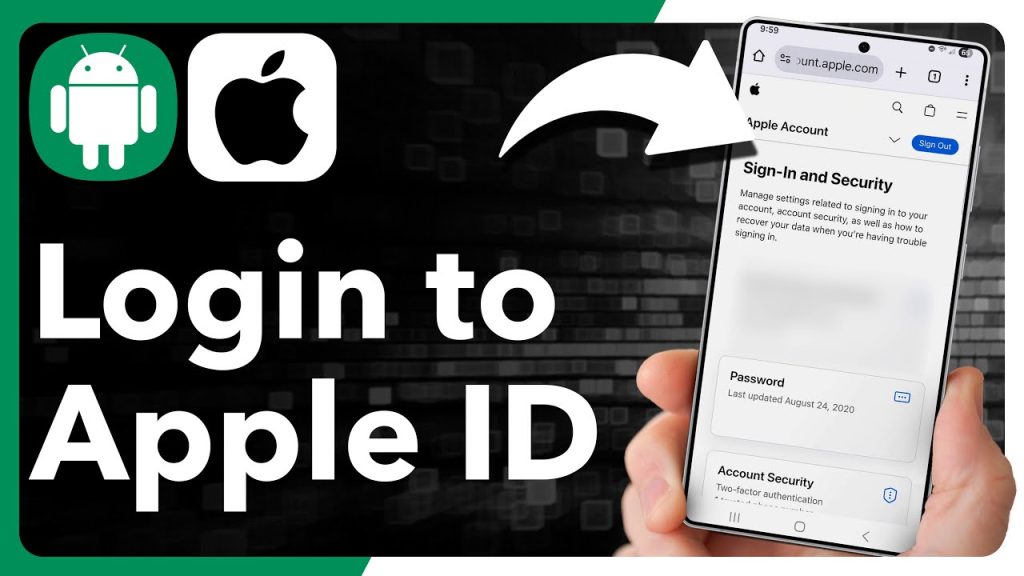
“Apple ID” has been officially rebranded by Apple as Apple Account as of late 2024 and throughout 2026. Your Apple Account is the single account you use to access all Apple services, including iCloud, the App Store, Apple Music, and FaceTime.
Key Management Actions
Create a New Account: You can create an Apple Account at account.apple.com by providing a unique email address, a strong password, and a valid phone number.
Sign In:
iPhone/iPad: Go to the Settings app and tap “Sign in to your [device]” at the top.
Mac: Go to the Apple menu > System Settings > Sign In.
Web: Access your data and services at iCloud.com.
Forgot Password: If you cannot remember your password, use the official iforgot.apple.com recovery page.
Security: Use the Official Apple Account Support page to set up two-factor authentication or account recovery contacts to protect your data
Final Thoughts: Master Your Apple iPhone with iOS 17
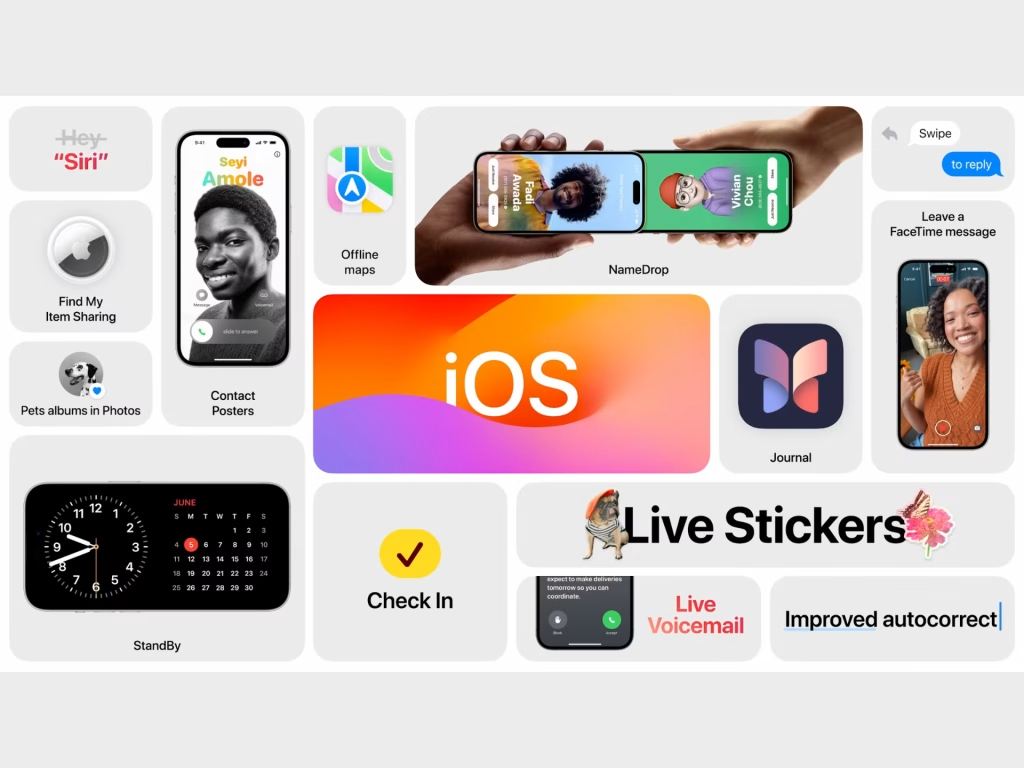
The iPhone powered by iOS 17 is smarter, more personal, and more capable than ever before. This Apple iPhone Guide shows that the real power of an iPhone lies not just in its hardware but in how you use it.
By understanding its features, applying practical tips, and exploring iOS 17 updates, you can transform your iPhone into a powerful digital companion that works for you every day.